This page has been established for the benefit of NASCs and EGL sites, to facilitate training and use of the BAT and GPT tools. Please do not circulate a link to this page to others outside of these organisations.
The information below explains how to access the following files in Socrates:
- The Band Allocation Tool (BAT)
- The Global Pricing Tool (GPT)
- The Facilities List
- 4x BAT Practice Exemplars (for use when completing self-paced learning scenarios)
- 1x BAT Training Example (for use with training delivery)
Accessing the BAT and the GPT
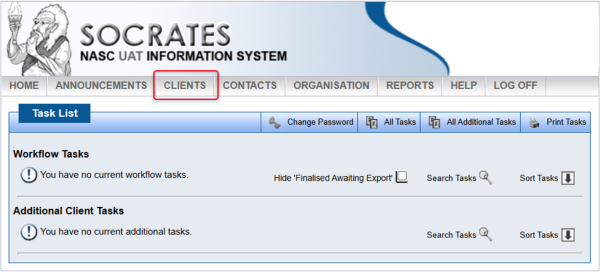
- When you login to Socrates and come to the home page, click on CLIENTS.
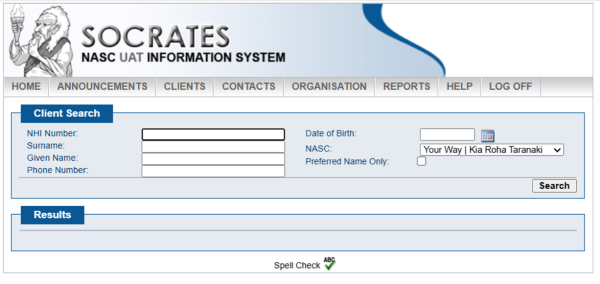
- This then loads the Client Search area, where you can search for the client.
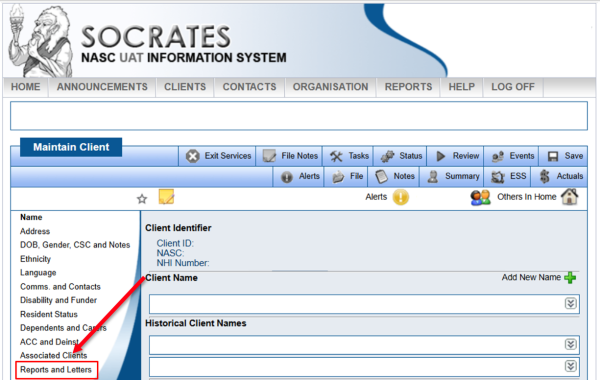
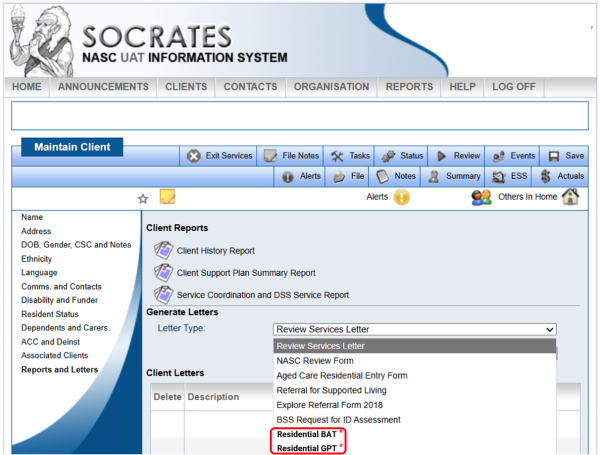
- On the Maintain Client screen, click on Reports and Letters in the left-hand sidebar.
- Next, click the drop-down menu to select a Letter Type.
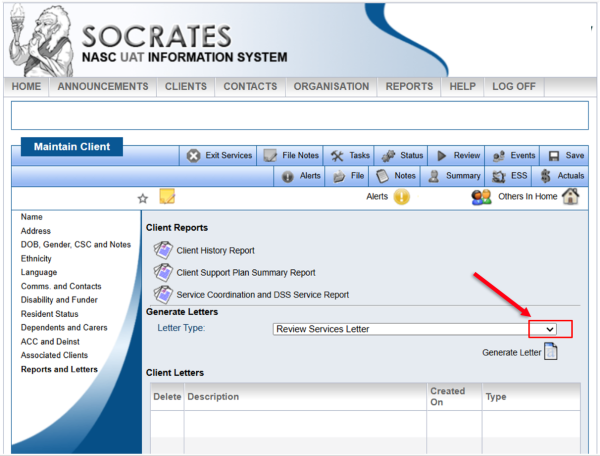
- Then select either Residential BAT or Residential GPT from the drop-down menu, based upon what you want to do.
- Click on Generate Letter.
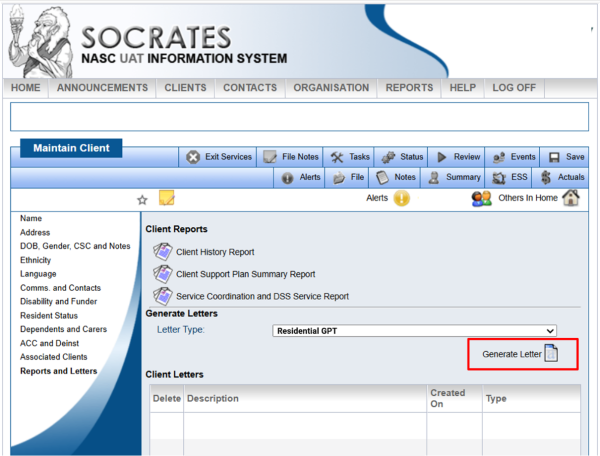
- This creates a copy of the BAT or GPT stored in the Client Letters section for that client.
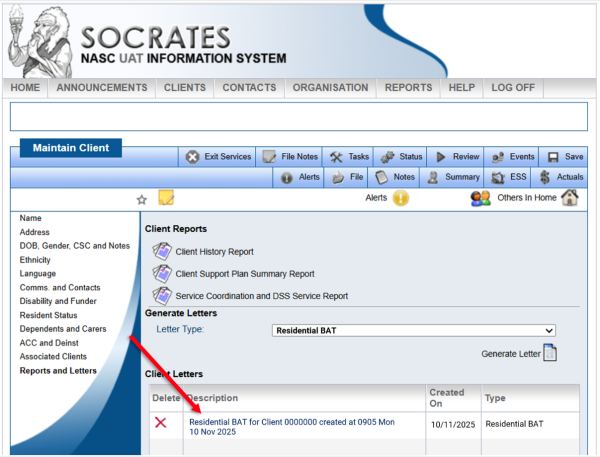
Accessing the Facilities List
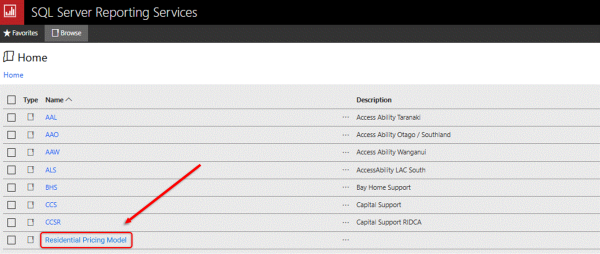
- Log in to the Reporting Server
- Open the folder Residential Pricing Model
- You will find the Facilities List excel file in this folder
Accessing the BAT Practice Exemplars and training file
- Log in to Socrates
- Go to the Help menu and select User Guide
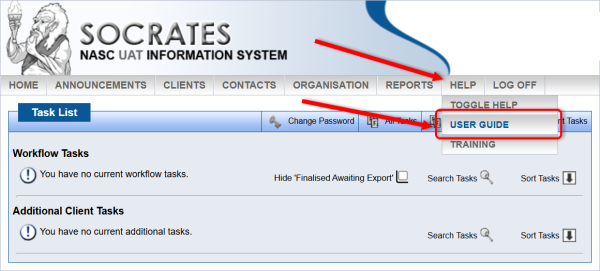
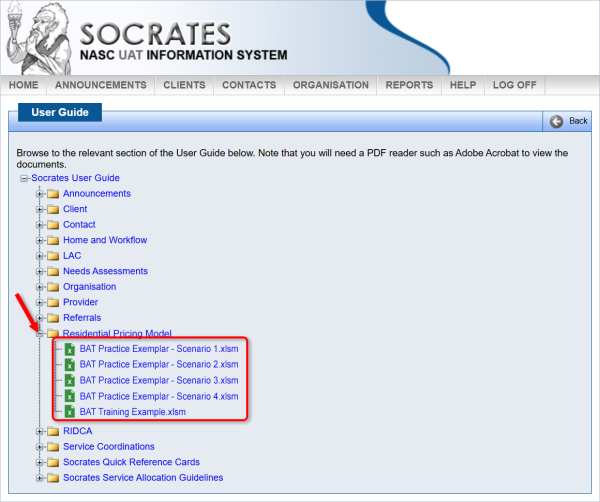
- On the page that loads, click on ‘+’ next to the Residential Pricing Model folder
- In this folder are each of the exemplar files to open and save a copy of, for each of the self-paced learning scenarios. You can use these files to compare with the BAT that you create when working through each scenario.
- Below this, you will find BAT Training example.xlsm but this is only needed for those intending to deliver training using the Facilitator Guides and PowerPoints.
Note:
- Always go to Socrates and open the Facilities List or create a new BAT or GPT when you need to make use of them, to ensure that you are using the latest versions of the tools.